
There is no Spinline casino app. We went through the operator’s platform end to end on 3 September 2026 looking for a download and came back with nothing: no APK, no Google Play listing, no App Store entry, not even a version number sitting in a footer. If a page promises you a “Spinline APK”, it did not get that file from Spinline.
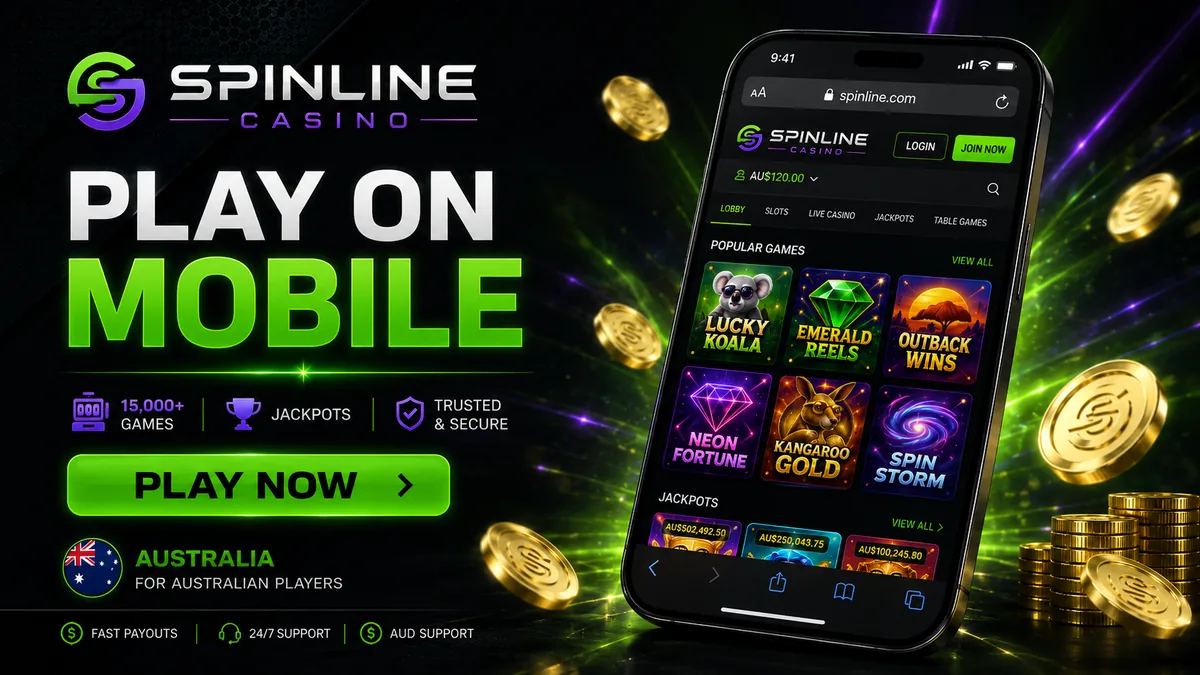
Which matters less than it sounds. Spinline runs as a mobile website, and that website is the same product as the desktop one: 15,000+ pokies, the Evolution live tables, the cashier, your account. Open it in Safari or Chrome, log in and play. Nothing installs, so nothing sits on the phone eating storage or waiting on updates. Below is how to set it up so it behaves like an app, what a phone handles and what it does not, and why chasing a “Spinline android” download file is a bad idea. For the full picture of the casino itself, start at the Spinline AU homepage.
Open Spinline in your mobile browser
App versus browser: what you actually lose
An app would give you an icon and push notifications. In return it wants storage, update cycles and a download step before you ever see a pokie. For a casino that already runs entirely in HTML5 that is a poor swap, and plenty of operators, Spinline among them, never bothered building one.
| Criterion | Native app | Spinline mobile site |
|---|---|---|
| Installation | Download, permissions, install, first launch | None — open the URL and you are in the lobby |
| Storage used | Typically 40–120 MB, growing with cache | Browser cache only, clearable in seconds |
| Updates | Manual or store-managed, can break on old OS versions | Server-side — you always load the current version |
| Access to the full library | Store policies often force a cut-down game list | Complete lobby, 100+ providers, nothing held back |
| Speed to first spin | Minutes on the first run | Seconds, every time |
| Push notifications | Yes | No — offers arrive by email and on-site |
| Risk of a fake file | Real, if you sideload from outside a store | Zero — there is no file to fake |
How to play Spinline on your phone
Two minutes of setup gets you a home-screen icon that behaves almost exactly like an app.
- Open the Spinline site in your phone’s browser: Safari on iOS, Chrome on Android.
- Create an account or sign in on mobile. The form is just three fields.
- Add the site to your home screen, following the platform notes below, for an icon and a full-screen window with no address bar.
- Fund the account. The cashier takes Visa, Mastercard, Skrill, Neteller, MuchBetter, Paysafe, POLi and crypto, minimum AU$30; the full list of mobile deposits works the same on a phone.
- Pick a game, or filter by provider first. Search works in the mobile lobby, which you will want past 15,000 titles.
iPhone and iPad
Open the site in Safari, tap the Share button, scroll down the sheet, choose Add to Home Screen and confirm. iOS drops the icon on your last home-screen page. That is the only way to “install” Spinline on an iPhone. Chrome and Firefox on iOS run Apple’s engine and can add shortcuts too, but Safari gives the cleanest full-screen result. That is all there is to playing Spinline on iPhone.
Android
Open the site in Chrome, tap the three-dot menu, choose Add to Home screen and confirm the name. Android puts the icon in the app drawer as well as on the home screen, and most handsets launch it without browser chrome. Samsung Internet and Firefox have the same option under their own menus.
Create your account and play on mobile
What works on the mobile version
Everything in the account works on a phone, with no cut-down mobile tier hiding behind the desktop one. Two things depend on your screen and your signal rather than on the feature list: live dealer tables want a stable connection, and document uploads go faster if your ID photos are already in the camera roll.
| Section | Available on mobile | Comment |
|---|---|---|
| Pokies | Yes, full library | Portrait mode on almost all modern titles; NetEnt games are blocked for Australian accounts under the operator’s terms, provider-side |
| Live dealer tables | Yes | Evolution roulette, blackjack and game shows stream fine on 4G; landscape gives you the full bet layout |
| Cashier | Yes | Deposits and withdrawal requests, both from the same account menu |
| Bonuses | Yes | The 280% welcome package and its free spins are claimed in the same flow as on desktop |
| Support | Yes | Live chat 24/7 opens as an overlay; email is the fallback for document queries |
| Verification (KYC) | Yes | Photograph your ID with the phone and upload straight from the gallery — usually faster than on a desktop |
The mobile pokies lobby loads in batches as you scroll, so filtering by provider saves a lot of thumb work. You can also claim the bonus on mobile at signup, and the x40 wagering, seven-day window and AU$7 limit on any single bet read exactly the same whether you opted in from a phone or a laptop.
Be careful with any “Spinline APK”
Search “spinline apk” and download pages come back. None of them belong to the operator. Spinline publishes no installer, so every file offered under that name was built by somebody else, and there are not many innocent reasons to build one.
- Repackaged wrappers. The gentlest version is a browser shell pointed at the casino URL. It still reads everything you type into it, password included.
- No verifiable signature. A legitimate app is signed by its publisher and distributed through a store that checks it. A sideloaded APK from a random domain has neither, which is why Android warns you before it installs.
- Credential and session theft. Casino accounts hold a balance and a set of verified identity documents, which makes them worth stealing, and a dodgy wrapper is the cheapest way in.
- Silent modification. A sideloaded file updates on whatever schedule its author likes. A clean install today tells you nothing about next month.
The home-screen shortcut above gives you the same icon and the same full-screen launch with none of that attached. It is a bookmark, not an executable.
Requirements and data use
Requirements are low, since nothing actually runs on the handset. If the phone takes a current browser, it takes the lobby.
- Operating system: iOS 15 or later, Android 8 or later. Older devices generally still load pokies but may stutter on live video.
- Connection: roughly 1–2 Mbps is enough for pokies; live dealer streams are comfortable from about 5 Mbps. Both work on ordinary 4G.
- Data use: as a rough guide, an hour of pokies costs around 30–60 MB, while an hour at a live table can run 250–500 MB because you are streaming video. These are general HTML5-casino figures for planning against a mobile cap, not numbers published by the operator. On a metered plan, play live on Wi-Fi.
- Battery: live tables are the heaviest item on the list, and a long session on 4G will warm the phone.
FAQ
Is there a Spinline APK?
No. The operator publishes no Android installer, so any file circulating as a Spinline APK came from a third party. Use the mobile site instead.
Can I play on iPhone?
Yes. Open the site in Safari, log in and play. Add it to your home screen for an app-style icon and a full-screen window.
Do I need to install anything?
No. The Spinline mobile casino lives entirely in the browser, so there is no install step and no update to keep on top of.
Is there a Spinline Android app in Google Play?
No. Google Play does not carry it, and neither does any other store. The Chrome shortcut is the closest equivalent and it is safe.
Does the mobile site have all the games?
Yes. The full library of 15,000+ titles from 100+ providers, plus the Evolution live tables. The one exception comes from the provider side: NetEnt titles are not available to Australian accounts under the operator’s terms.
Will I stay logged in on the home-screen icon?
Usually yes, until you sign out or clear the browser data. Treat it like any other logged-in account on your phone and keep a screen lock on the device.